Barcode Tracking for Physical Files
Barcode File Tracking for Law Firms
Scan files and locations to keep physical record movement accurate, fast, and easy to trace. FastTrack uses barcode-based workflows to help law firms maintain current file locations and movement history without relying on manual entry.
The Barcode Isn't the Point
Scanning a barcode is just the mechanism. What it produces is the outcome that actually matters: faster movement updates, less manual data entry, accurate current locations, and a movement history your team can trust without having to reconstruct it after the fact.
The Scan-to-Record Workflow
Scan the File
Identify the file, folder, or box by its barcode
Scan the Person or Location
Confirm where it's going, or who it's going to
FastTrack Records the Move
No manual log entry required
Location & History Update
Immediately available to anyone who looks the file up
What Gets a Barcode?
Every barcode ties back to the same client-and-matter structure used everywhere else in FastTrack
Files & Folders
Individual client and matter files
Boxes
Archived or off-site storage boxes
Locations
Shelves, rooms, and off-site facilities
Custom Items
Anything else your firm tracks as inventory
Auto-Generated Labels
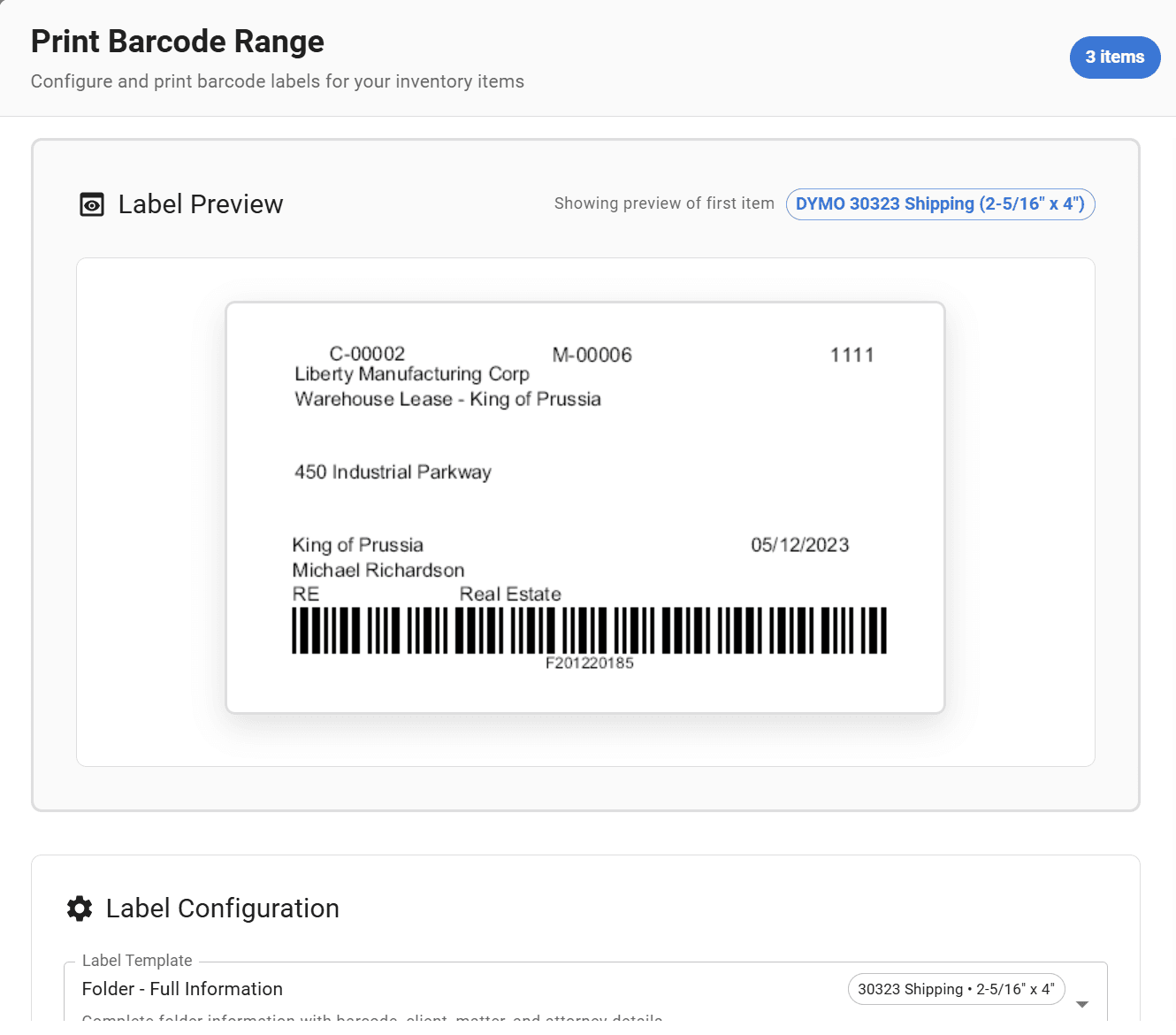
FastTrack creates and prints unique barcodes for files, folders, boxes, and locations
Accurate Current Location
Every scan updates the file's record in place
Complete Movement History
Timestamped, with the user who scanned each move
Want a more detailed, step-by-step walkthrough of setting up barcode tracking? Read our implementation guide on the blog.
FAQ
Frequently Asked Questions
How does barcode file tracking work?+
Each file, folder, box, or location is labeled with a unique barcode. When a file moves, a quick scan of the file and its new location or custodian updates FastTrack's record — instead of someone typing that update into a log by hand.
What gets a barcode?+
Files, folders, boxes, and physical locations can all be labeled, so both sides of a move — the item and its destination — can be scanned rather than manually entered.
Do we need dedicated barcode scanners?+
Not necessarily. FastTrack works with standard handheld barcode scanners, and the FastTrack mobile app can also scan barcodes using a phone's camera, so staff aren't required to carry separate hardware.
Can staff use a mobile device?+
Yes. The FastTrack mobile app for iOS and Android includes camera-based barcode scanning, so files can be checked in and out from a phone rather than a dedicated scanner or workstation.
Can FastTrack track files to people and locations?+
Yes. A scan can record that a file was checked out to a specific person, moved to a specific location, or both, depending on how your firm structures the move.
Does FastTrack preserve previous locations?+
Yes. Barcode scans don't just update the current location — they add to the file's movement history, so previous locations remain visible rather than being overwritten.
Can existing barcode labels be used?+
FastTrack generates and prints its own barcode labels for your files, folders, and locations. If your firm already has barcode labels from a previous system, bring that up during a demo — compatibility depends on the label format your firm currently uses.
See Barcode Tracking Set Up for Your Firm
A 30-minute demo covers labeling, scanning hardware options, and how movement history would look for your inventory.