File Tracking Software for Law Firms
Legal File Tracking Software
Know where every physical file is, who has it, and where it has been. FastTrack gives law firms a centralized way to track file locations and movement across offices, staff, records rooms, and storage locations.
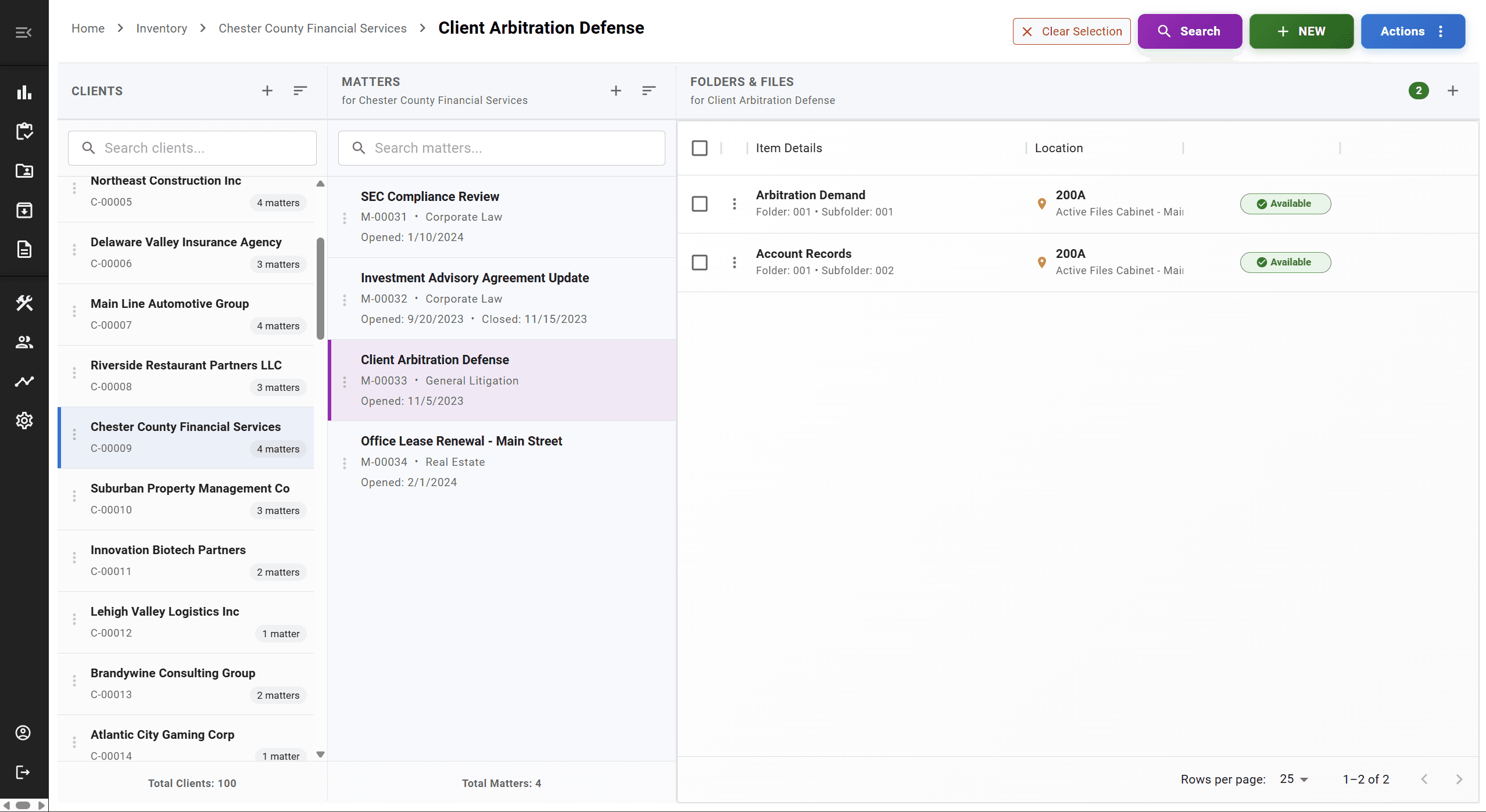
A File Leaves the Records Room. Then What?
A file leaves the records room. It moves to an attorney's office. A paralegal needs it for a filing. Someone else asks for it a week later.
At each step, the records team has to answer the same questions:
- —Who has it right now?
- —Where is it, physically?
- —When did it move, and who moved it?
- —Where was it before that?
Without a structured way to answer those questions, the answer usually depends on whoever remembers, or on tracking down whoever touched the file last.
A Structured Way to Track Every Move
FastTrack turns file movement into a recorded event, not something the records team has to reconstruct after the fact
Identify the File
Locate it by client, matter, or barcode scan
Record the Destination
Assign it to a person or location
Update Current Location
The file record reflects where it is now
Preserve History
Prior locations remain visible, not overwritten
Scanning a barcode at each step removes most of the manual typing from this process. See how that works on our barcode file tracking page.
Why This Gets Harder Over Time, Not Easier
Checkout sheets, email, and spreadsheets can work for file tracking at small scale. They become harder to maintain as record volume, staff, and locations increase.
This isn't about spreadsheets being unusable — it's about what happens to a manual process as more people and more files depend on it.
| Capability | Manual Tracking | FastTrack |
|---|---|---|
| Recording who currently has a file | Manual — sign-out sheet or memory | Recorded at checkout |
| Finding a file's current location | Ask around or check the log | Looked up centrally |
| Movement history over time | Rarely kept, or scattered across logs | Maintained automatically as files move |
| Tracking between offices | Separate logs per office, if any | One system across locations |
| Multiple staff updating records | Version conflicts, overwritten entries | Shared, centralized system |
FAQ
Frequently Asked Questions
How do law firms track physical files?+
Traditionally, through sign-out sheets, email, or spreadsheets. Purpose-built file tracking software like FastTrack replaces those manual logs with a centralized record of each file's current location and movement history, often paired with barcode scanning to reduce manual data entry.
Can FastTrack track who has a file?+
Yes. When a file is checked out to a person or moved to a new location, FastTrack records that destination as part of the file's record, so staff can see who currently has a file without asking around.
Does FastTrack keep movement history?+
Yes. As a file moves — between staff, offices, or storage locations — FastTrack preserves the prior locations, not just the current one, so you can see where a file has been over time, not only where it is today.
Can files be tracked between offices?+
Yes. FastTrack is built to track files and locations across multiple offices in a single system, so a file that moves from one office to another remains visible rather than falling into a gap between separate local logs.
Does FastTrack support barcode scanning?+
Yes. Files, folders, and boxes can be labeled with barcodes and updated with a handheld scanner or the FastTrack mobile app, which reduces manual data entry when recording a move. See our barcode file tracking page for more detail on that workflow.
Can users search by client or matter?+
Yes. Because FastTrack organizes records around clients and matters, staff can search and locate files using the same structure they already use to think about a case, rather than a generic file name or folder path.
Can FastTrack track off-site records?+
Yes. Storage locations — including off-site facilities and record centers — are tracked the same way as in-office locations, so a box in off-site storage is as visible in the system as a folder in an attorney's office.
See Your File Tracking Workflow in FastTrack
A 30-minute demo shows how location tracking, checkout, and movement history would work for your firm's records.